How to Use Pinterest Auto Posting
This guide will walk you through how to use Bloxiana’s Pinterest Auto Posting feature to promote outfits and/or showcase your Roblox UGC.
I originally built this Pinterest auto-posting tool for myself to test how effective Pinterest could be for growth when posting consistently.
People forget to post, get busy, or get lazy with scheduling. This removes that friction, you queue your content once and let your Pinterest account grow in the background.
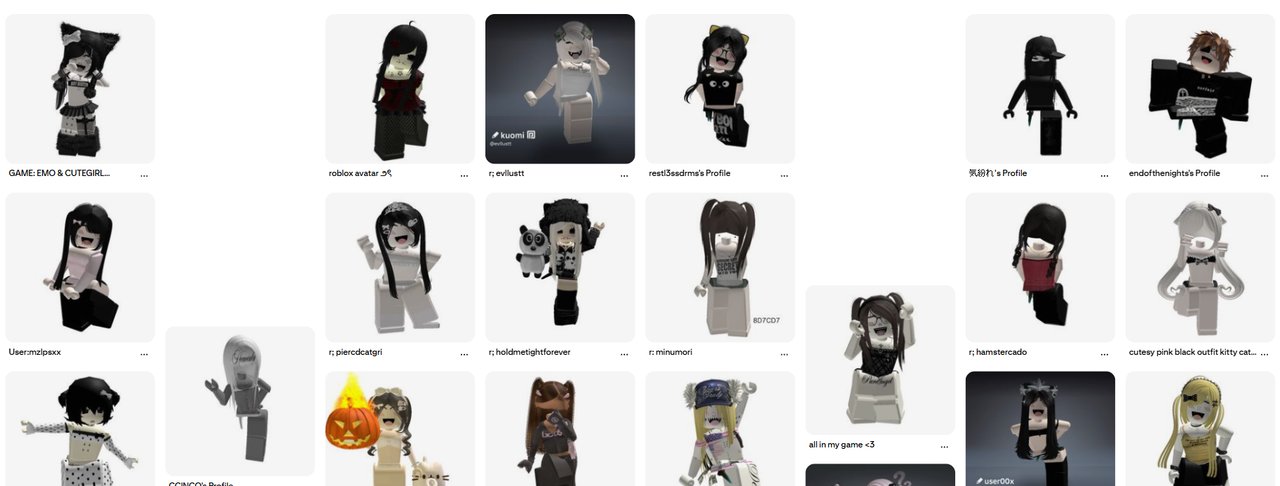
After just a few weeks of consistent automated uploads, my account reached 300k+ monthly views. You can look for yourself here.
Since then, I’ve been rebuilding and refining the system so anyone can use it with their own Pinterest account directly through Bloxiana.
Linking Your Pinterest Account
To use Pinterest Auto Posting, you’ll first need to link your Pinterest account to Bloxiana.
- Sign in to Bloxiana using your Discord account
- You’ll then see an option to link your Pinterest account
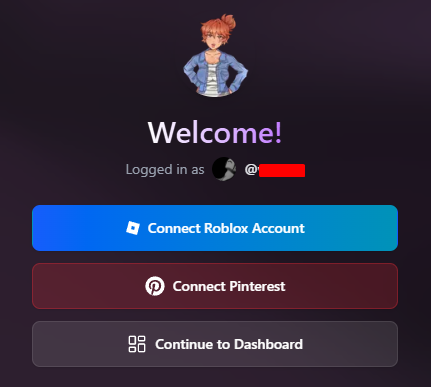
Authentication is handled through OAuth2 - no cookies and nothing sketchy.
Both personal (Pinner) and creator/business Pinterest accounts are supported. However, it’s strongly recommended that you upgrade or create a creator account to take advantage of Pinterest’s built-in analytics.
Note: Bloxiana cannot see your private boards or private pins.
Pinterest Portal
Once your Pinterest account is linked, click “Continue to Dashboard”, then navigate to the Manage Servers tab and select the server you want to manage Pinterest posts for.
After loading the Server Dashboard, click the “Pinterest” tab located at the bottom of the sidebar to begin setting up and managing your Pinterest posts.
Creating Pinterest Boards
When queueing a post, you’ll be asked to enter a category name.
This category name is used as the Pinterest Board name.
If a board with that name does not already exist, Bloxiana will automatically create it on upload (this is required by the Pinterest API).
If the board already exists, the post will be added to it. No duplicates are created.
Tip: Use descriptive board names (e.g. Roblox Outfit Ideas, Roblox Fits) to improve Pinterest discovery.
Queueing Posts
Bloxiana supports multiple ways to queue Pinterest posts depending on your workflow.
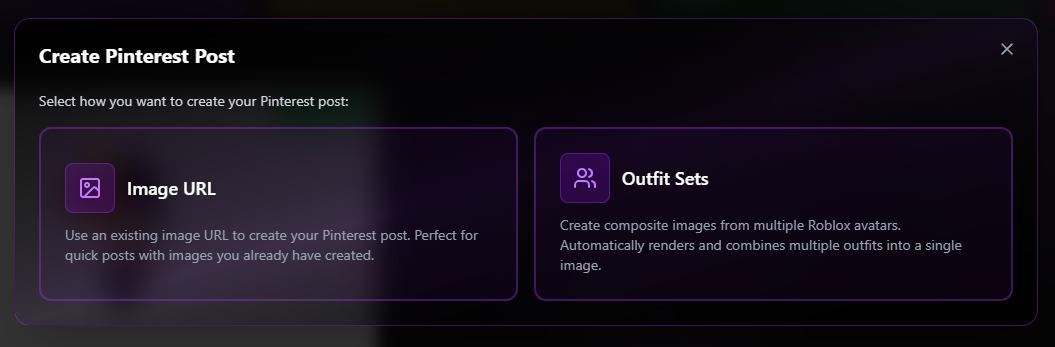
Option 1: Image URL Posts
You can queue a post by providing a direct image URL.
This is useful if:
- You already render avatars externally
- You customize your showcase images
- You want full control over the final image
Simply paste the image URL, select a board, and add an optional title and description.
Option 2: Outfit-Based Posts
You can also queue posts using Roblox outfit data, which Bloxiana will automatically render.
Each post can include:
- One or more outfit IDs
- Custom body hex colors
- Scale values
- A custom pose
- Support for up to 4 avatars per post
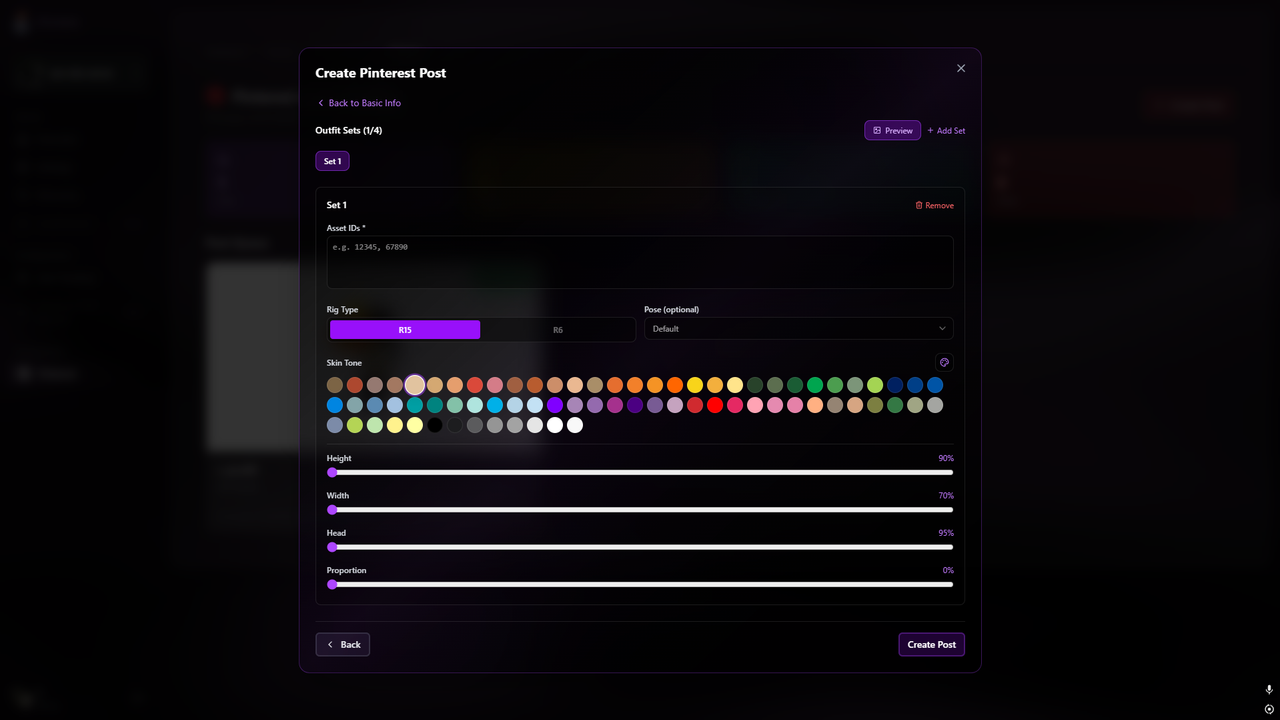
This makes it easy to showcase outfit sets such as duo/trio/squad outfits.
Once queued, Bloxiana handles rendering and posting automatically.
Post Scheduling & Automation
All queued posts are processed automatically in the background.
You do not need to:
- Manually upload pins
- Stay online
- Revisit the dashboard frequently (unless an error occurred, which will show in the post details)
Once your queue is set, Bloxiana will post consistently to your Pinterest account based on the configured schedule (30 minutes globally).
This is ideal for long-term growth without micromanaging uploads.
Bulk Importing Outfits (Roblox Studio Script)
To speed things up even further, Bloxiana supports bulk importing outfits using a Roblox Studio script.
This script can:
- Scan for outfits in your outfit games
- Collect all outfit data automatically
- Copy and import them as outfit sets in one go
This allows you to queue dozens (or hundreds) of outfits without manually entering each one.
The Studio script and setup instructions will be provided separately (or ping the bot creator in the support server to set this up).
Why This Feature Is Free
Pinterest Auto Posting is currently a free feature.
The goal isn’t to gate growth, it’s to remove friction. Most people don’t fail because their content is bad; they fail because they’re inconsistent.
This tool lets you:
- Queue once
- Forget about scheduling
- Let your Pinterest account grow passively over time
That said, free access is not guaranteed forever. As this feature grows in usage and popularity, limits or a paid tier may be introduced in the future.
If you’re using it now, take advantage of it while it’s available.
If you run into issues or have feature suggestions, feel free to share feedback in the Bloxiana Discord server.
Happy posting.


