Customuse vs Bloxiana: Which Roblox Clothing Preview Should You Use?
If you make Roblox clothing, you want to see it on an avatar before you pay the upload fee. Customuse and Bloxiana both have a free tool for that. We make Bloxiana, so keep that in mind. To keep it fair, we loaded the same shirt and pants template into the Customuse Roblox Previewer and Bloxiana Avatar Studio on 28 November 2026 and wrote down what each one could and couldn't do.
Customuse is a design platform with an editor, templates, AI generation, phone apps and direct upload to Roblox, and the previewer is one free tool on the side. Avatar Studio is only a viewer, so you draw the shirt somewhere else and then check it there: on a real avatar, next to real catalog items, moving, and as a 2D render.
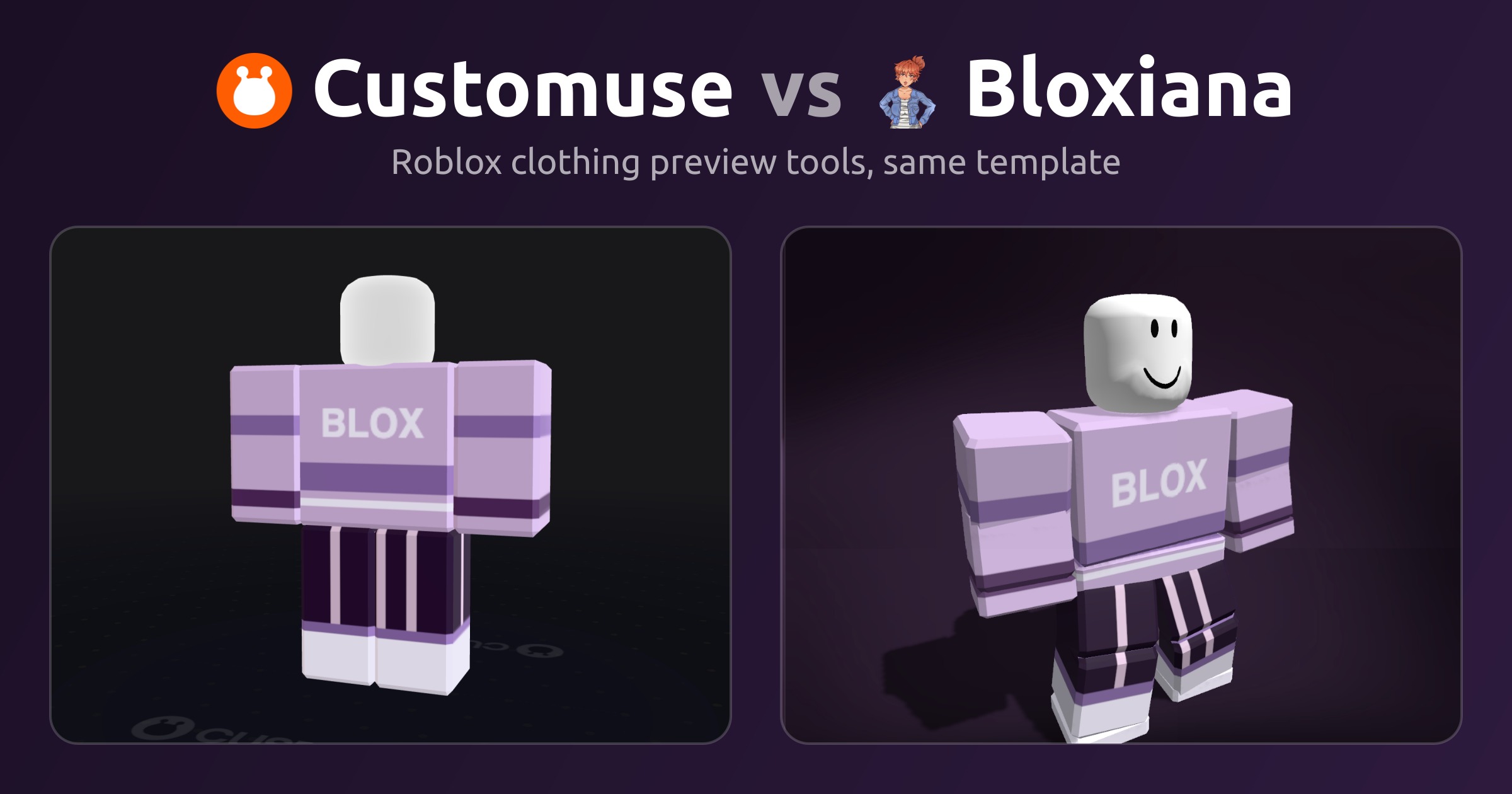
The same template in both
This is one classic shirt and pants template (585×559 PNG) in each tool.
And the full screens:
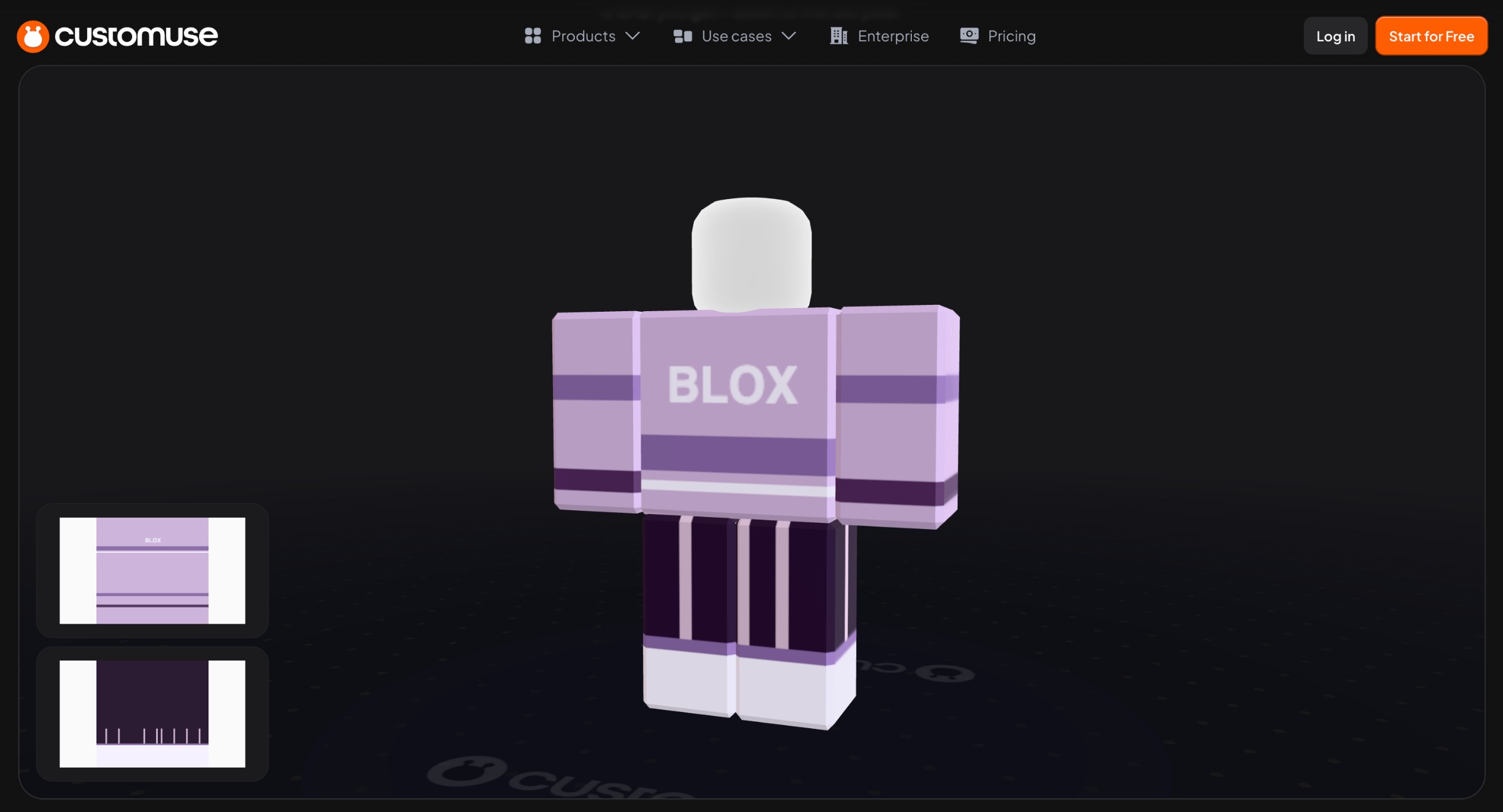
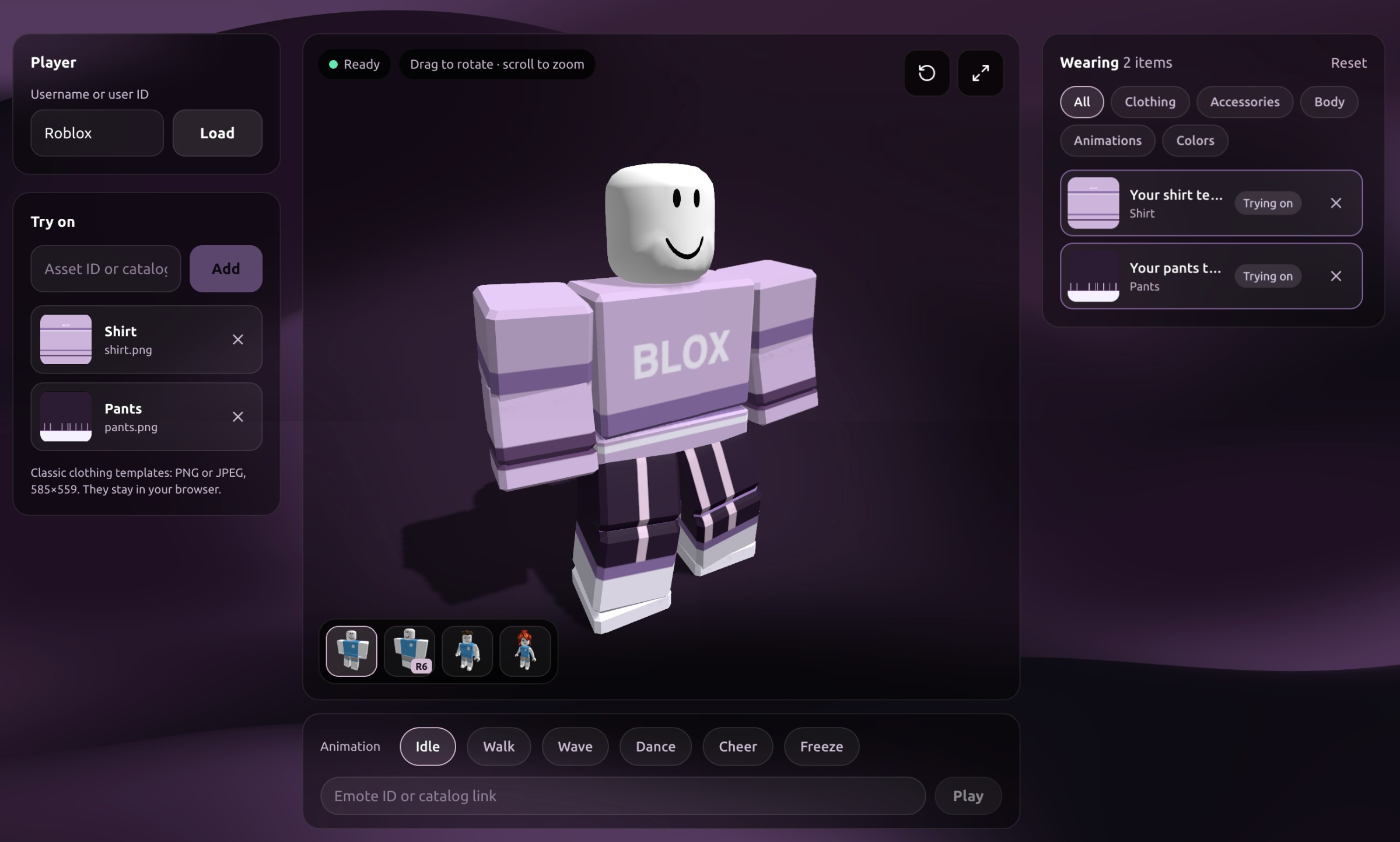
Both wrap the template correctly. Customuse shows a blocky body with a plain head on a dark floor that has the Customuse logo printed on it, and keeps thumbnails of your two files on the left. Bloxiana puts the template on a full avatar with a face and lists everything it's wearing on the right, so you can take items off or add new ones.
Feature comparison
| Customuse Roblox Previewer | Bloxiana Avatar Studio | |
|---|---|---|
| Price | Free | Free |
| Account needed to preview | No | No |
| Classic shirt and pants preview | Yes | Yes |
| Preset bodies | One blocky body (the page mentions switching body types, but we found no switch on the free previewer) | Blocky R15, Blocky R6, Man, Woman |
| Load a real player's avatar | No | Yes, by username or user ID |
| Try on catalog items and bundles | No | Yes, by asset ID or catalog link |
| Layered clothing, accessories, dynamic heads | No | Yes |
| Animations and emotes | No | Idle, walk, wave, dance, cheer, or any emote ID |
| Body colors | No | Yes, part by part |
| Camera | Rotate and zoom | Rotate, zoom, full screen |
| 2D export | Not on the free previewer | PNG or WebP up to 2048 px, full body, bust or head, transparent, color or image background |
| Branding in the viewer | Customuse logo on the floor | None |
| Edit the design | Opens in the Customuse editor | No editor |
Where Customuse is better
- If you haven't made the shirt yet, Customuse can help you make it, with a design editor, a library of shirt and pants templates, and AI tools that turn a text prompt into a design (AI generation runs on credits from the paid plans). Bloxiana has no editor or AI tools.
- Customuse has apps for Android and iOS, so you can design and preview without a computer.
- Once you link your Roblox account, Customuse can send classic clothing to Roblox for you, and it appears in your inventory after moderation.
- If a preview shows a problem, you can jump to the Customuse editor and fix it there.
Where Bloxiana is better
- Type any username and Avatar Studio loads that player's avatar, with their body shape, head and accessories, and puts your template on it. A shirt that looks fine on a plain blocky body can look off under a jacket or long hair, and you'll see that before you upload.
- Paste an asset ID or a catalog or bundle link to see your shirt with the pants, hair or accessories you plan to sell it with.
- Play the walk or dance animation, or any emote, to see how the template stretches at the shoulders and hips. That's where most seams show.
- The render button saves a PNG or WebP up to 2048 px with a transparent background, which you can drop straight into a group store, a thumbnail or a showcase post. For group shots, 2D Avatar Render fits up to four avatars in one picture.
- Avatar Studio has no credits to buy and puts no logo in the viewer.
Which should you use?
If you're starting from nothing, or want AI to draft a design, start in Customuse. Bloxiana has no editor, and Customuse's free plan lets you design and download your first shirts.
Once you have a template, test it in Avatar Studio. Load a few real avatars, put it next to the catalog items you'd sell it with, and play an emote before you spend Robux on the upload. Use Avatar Studio's 2D render for store and social images, or 2D Avatar Render for group shots.
You can also use both: design in Customuse, then check the result in Avatar Studio before you upload.
FAQ
Is Customuse free?
The Roblox Previewer is free and works without an account. The rest of Customuse has a free plan with the core design tools and community templates, then paid plans that start at $14.99 a month for 1,000 AI credits. Pro is $35 a month for 3,000 credits and is the first plan that lists "No Customuse watermark".
Is Customuse safe to use?
The free previewer doesn't ask for an account, so you hand over nothing just to preview a template. The upload feature does ask you to link your Roblox account. Only do that on customuse.com or in Customuse's own app, and don't type your Roblox password into a look-alike site someone sent you a link to. Bloxiana Avatar Studio doesn't need an account either.
Can Customuse upload clothes to Roblox?
Yes. Customuse has a guide for linking your Roblox account and sending classic clothing straight from Customuse to Roblox. The item then shows up in your Roblox inventory once it passes moderation, which their guide says takes 5 to 10 minutes. Bloxiana does not upload for you; you upload the template on Roblox yourself.
What is a good Customuse alternative for previewing clothes?
Bloxiana Avatar Studio, at bloxiana.lol/clothing/studio. It previews classic shirt and pants templates, and it can also load a real player's avatar, put catalog items on it, play emotes and export a 2D render. Another option is Dripzels; we compared it in Dripzels vs Bloxiana.
Which one shows my clothing on my own avatar?
Bloxiana. Type a username or user ID into Avatar Studio and it loads that player with their body, head, accessories and layered clothing, then puts your template on top. The Customuse previewer uses one blocky body.